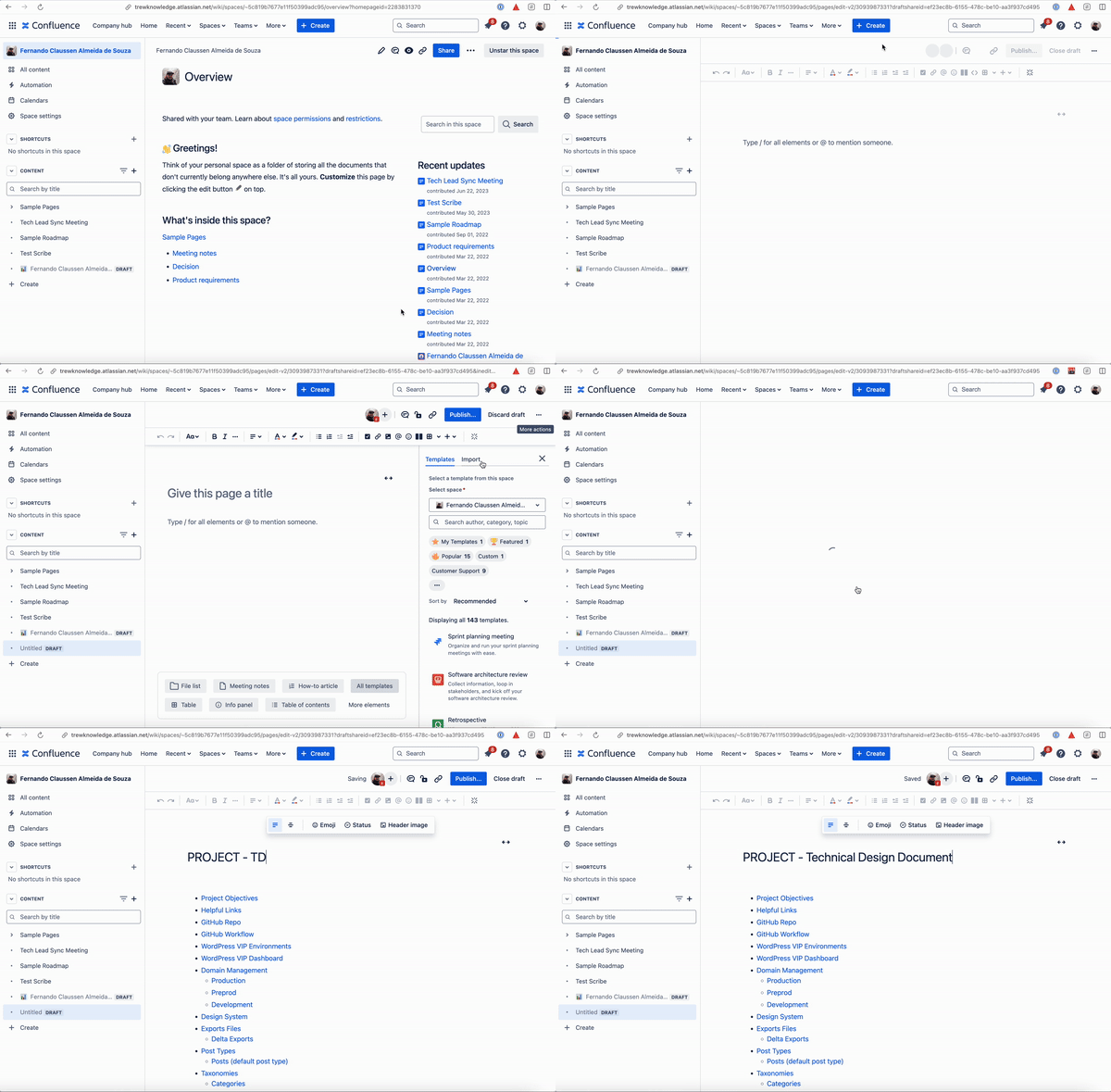
How to create a TDD
1
Open the Confluence page where you want to create the TDD.
2
Click on the three dots on the top right corner and select Templates & import doc.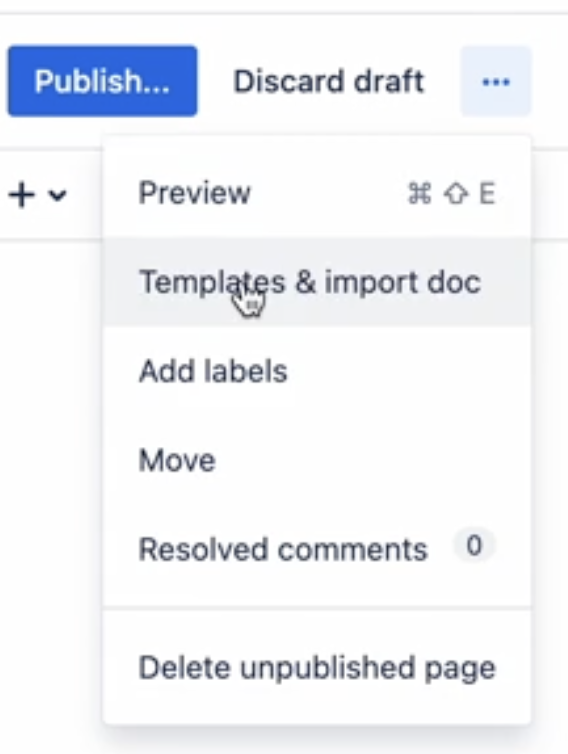
3
From the list of available templates, choose Technical Design Document.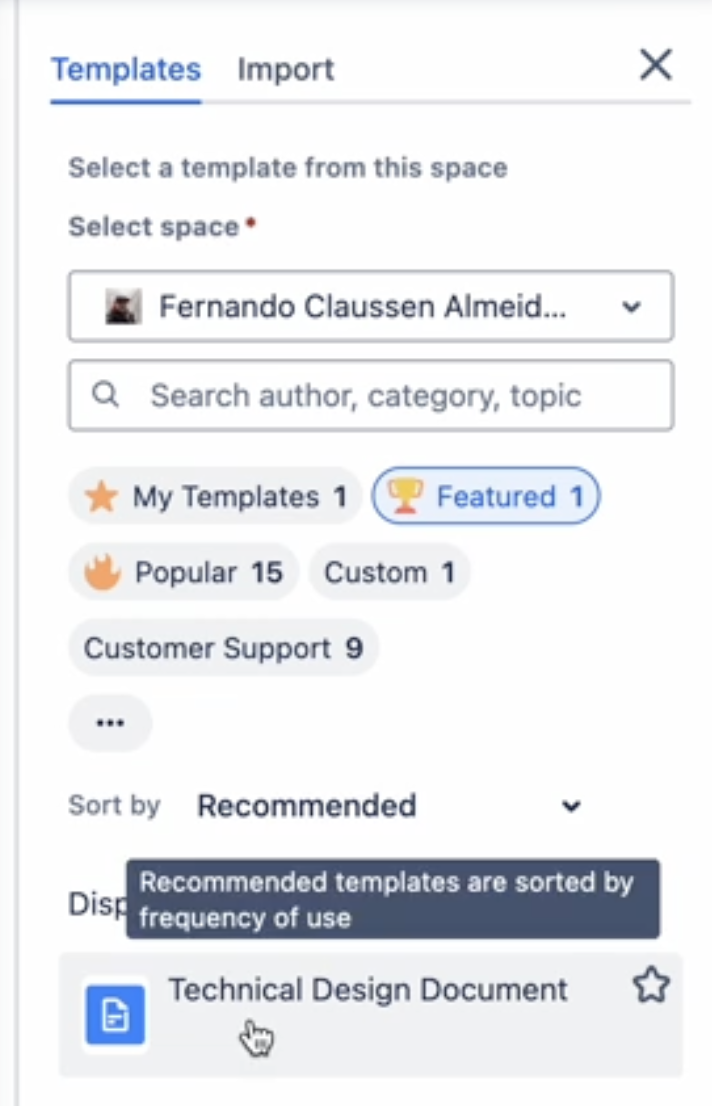
The Select a space dropdown will be pre-populated with the space you are currently in. It doesn’t matter in this case as this template is available globally.
4
Give it a title and start filling in the details.
Visual Instructions