> ## Documentation Index
> Fetch the complete documentation index at: https://engineering.trewknowledge.com/llms.txt
> Use this file to discover all available pages before exploring further.
# Creating a TDD
It is imperative we follow the same structure when creating technical design documents.
We've created a template to help you create a TDD that is easy to read and understand.
## How to create a TDD
Open the Confluence page where you want to create the TDD.
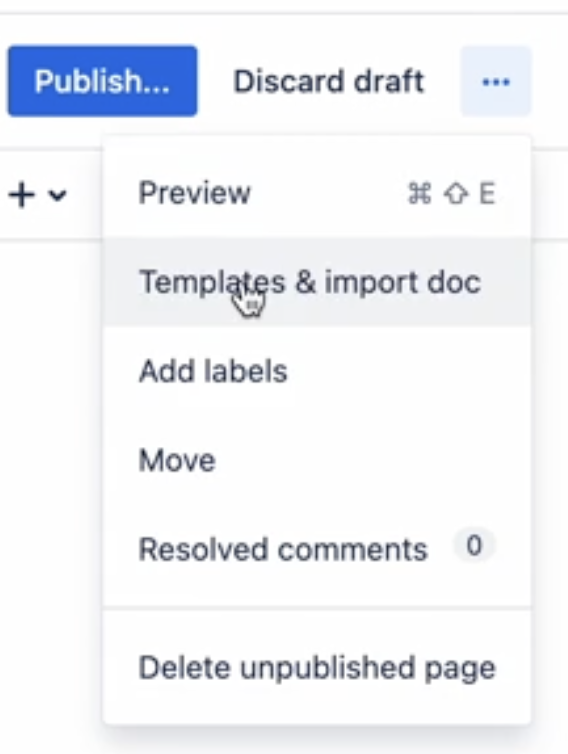
Click on the three dots on the top right corner and select **Templates & import doc**.
 From the list of available templates, choose **Technical Design Document**.
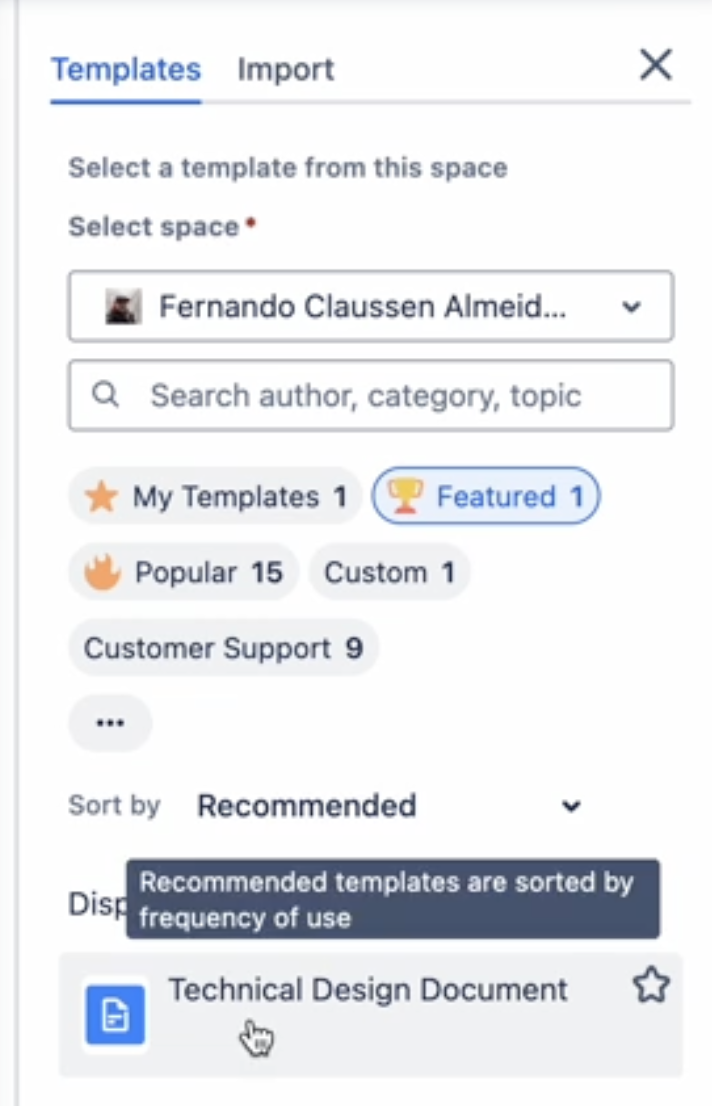 The **Select a space** dropdown will be pre-populated with the space you are currently in. It doesn't matter in this case as this template is available globally.
Give it a title and start filling in the details.
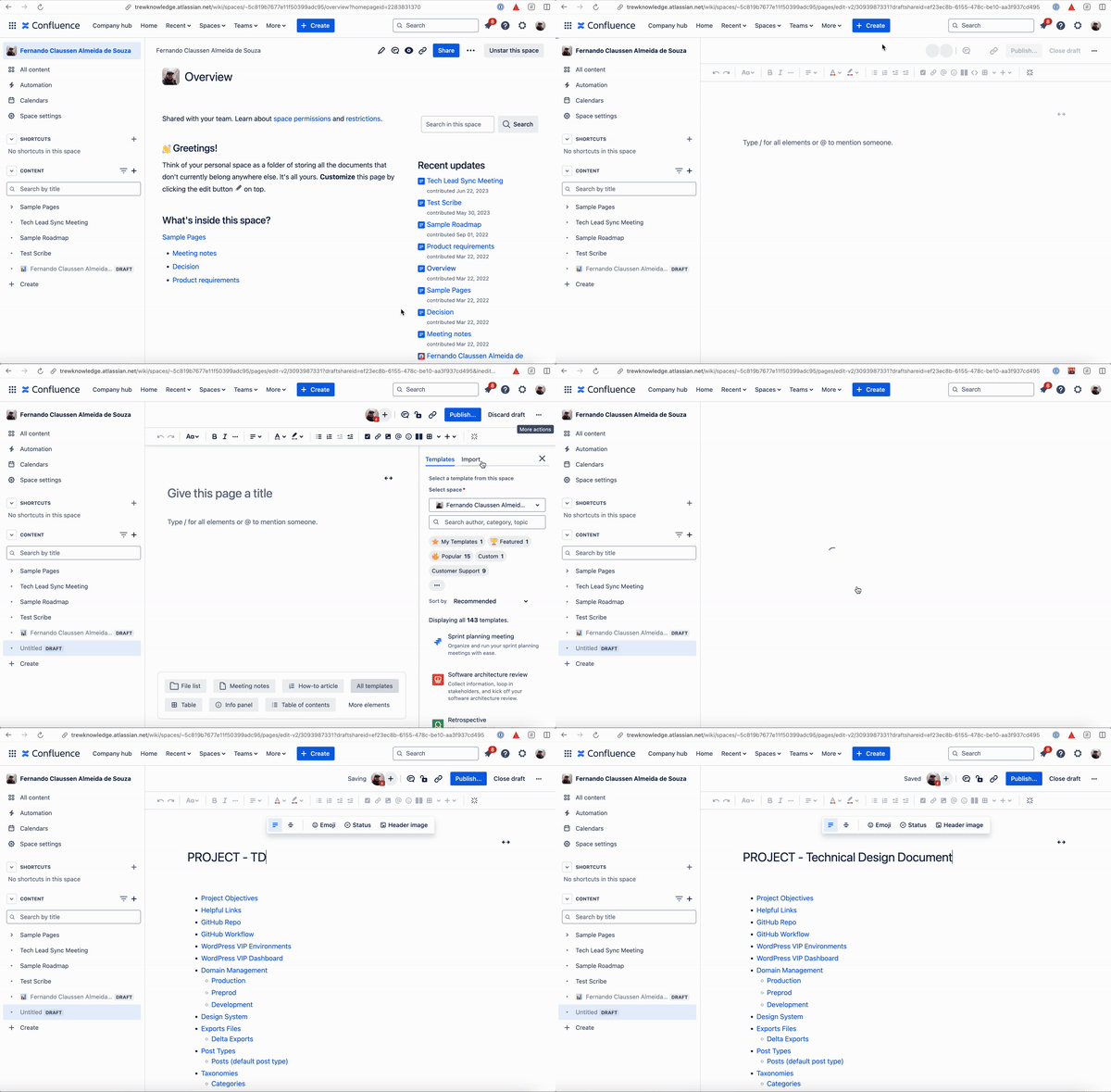
### Visual Instructions
The **Select a space** dropdown will be pre-populated with the space you are currently in. It doesn't matter in this case as this template is available globally.
Give it a title and start filling in the details.
### Visual Instructions
 ## How to update the template
If you find that the template is missing something, you can update it by visiting [this page](https://trewknowledge.atlassian.net/wiki/admin/templates-and-blueprints).
## How to update the template
If you find that the template is missing something, you can update it by visiting [this page](https://trewknowledge.atlassian.net/wiki/admin/templates-and-blueprints).